Client Onboarding Automation Platform: Complete 2026 Guide
A client onboarding automation platform is software that automatically tracks, scores, and manages the first 30 to 90 days of a new client relationship instead of leaving it to spreadsheets, sticky notes, and whoever remembers to send the kickoff email. For agencies, consultancies, SaaS companies, and coaching businesses that live on recurring revenue, that early window decides whether a client sticks around for years or quietly cancels after the first invoice. This guide breaks down exactly what a client onboarding automation platform does, how it differs from basic project management software, which features actually matter, and how to roll one out without hiring anyone new.
Quick answer: A client onboarding automation platform connects to the tools you already use — CRM, billing, meetings, project software, and call transcripts — then automatically builds a client journey, assigns tasks, tracks milestones, and alerts your team the moment a new client drifts off track. Unlike a basic timeline tool, the best platforms also score ongoing relationship health well past the first 30 days.
What Is a Client Onboarding Automation Platform?
In plain terms, a client onboarding automation platform replaces manual checklists with software that watches client activity and flags gaps before they become problems. Instead of an account manager trying to remember whether a kickoff call happened on schedule, the platform surfaces that task automatically, every single time.
Specifically, these platforms typically combine three core capabilities: deep integration with your existing tech stack, a structured journey with defined milestones, and a notification system that tells your team exactly what to do next. In contrast to a generic project management tool, onboarding automation is purpose-built around the client relationship — not just task completion on an internal to-do list.
Above all, the goal is consistency. Even a well-run agency loses clients when onboarding depends entirely on one person's memory or a single spreadsheet. Automation makes the process survive staff turnover, rapid growth, and the inevitable busy week when something would otherwise slip through.
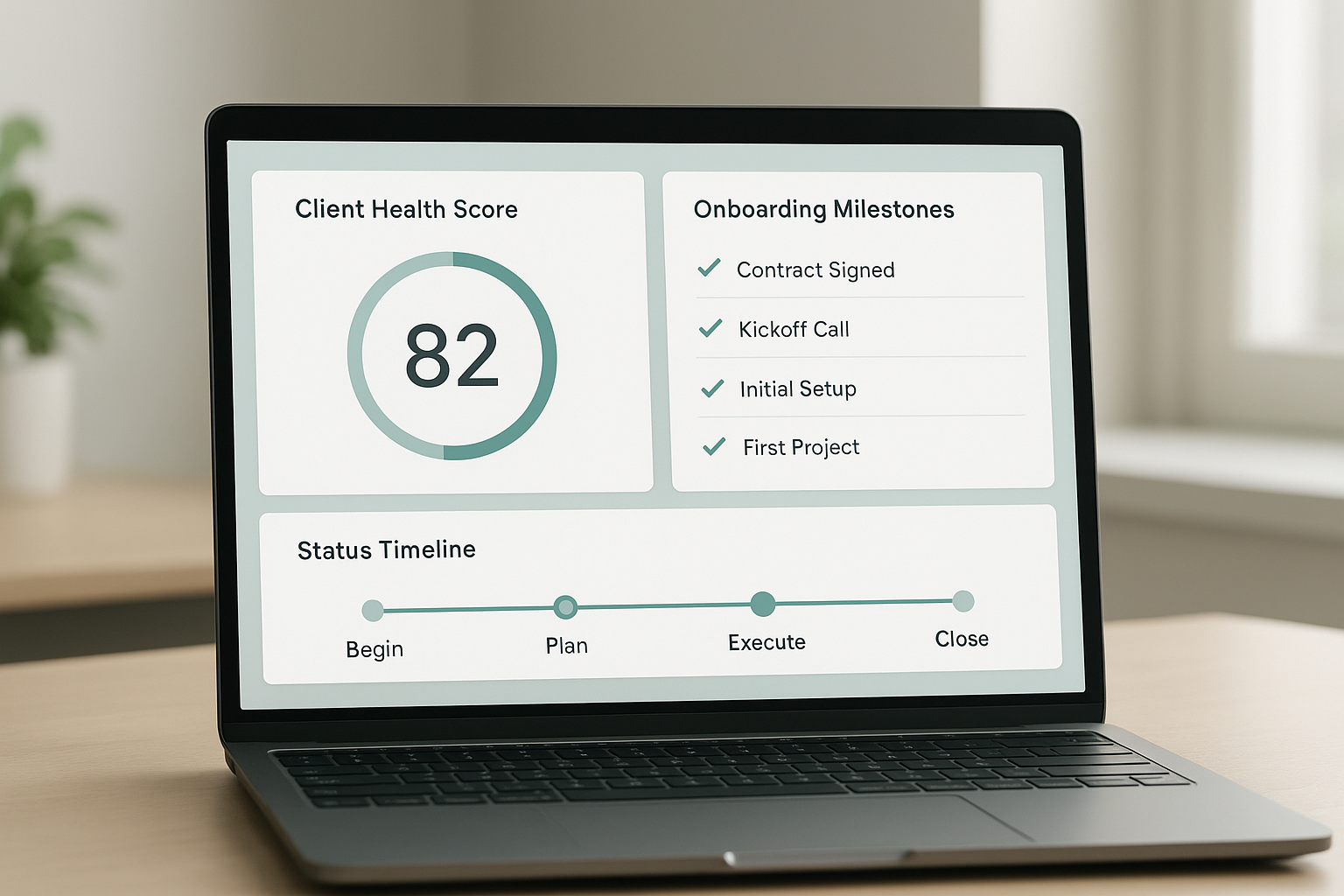
A client onboarding automation platform consolidates milestones and health signals into a single view the team checks every morning.
Client Onboarding Automation Platform vs. Project Management Software
A common point of confusion is whether a client onboarding automation platform is simply a Gantt chart with a new label. It is not, and the distinction matters for anyone comparing vendors. Many onboarding tools on the market today focus almost entirely on project visibility — a timeline the client can see, a RACI-style breakdown of who is Responsible, Accountable, Consulted, and Informed on each task, and status updates that move a project from kickoff to go-live.
That kind of visibility genuinely helps. However, it answers only one question: is the project on schedule? It does not answer the more important question for a retainer-based business: is this client happy, engaged, and likely to renew? A client can hit every milestone on a timeline and still feel ignored, confused, or undervalued — and a purely project-based tool has no way to catch that.
Consequently, the strongest client onboarding automation platforms go further than timeline tracking. They layer a continuous relationship health score on top of the project plan, pulling signals from meeting cadence, billing status, email responsiveness, and even call sentiment. In other words, they answer both questions — on schedule, and on good terms — rather than just one.
Why Service Businesses Need Onboarding Automation
Retention economics make the case clearly. According to research popularized by Bain & Company and published in Harvard Business Review, increasing customer retention rates by just 5% can increase profits by 25% to 95%, depending on the industry. Therefore, even small improvements to early-stage client experience carry outsized financial impact for any recurring-revenue business.
Furthermore, the first 30 to 90 days carry disproportionate churn risk. New clients have not yet built trust or seen results, so any friction — a missed kickoff call, an unclear deliverable, a slow response — reads as a warning sign. As a result, service businesses that rely on retainers cannot afford an onboarding process that depends on luck or a single dedicated employee.
In addition, growing teams face a scaling problem that manual processes simply cannot solve. What works for ten clients often breaks at fifty, because no single account manager can track every relationship by memory. Similarly, the U.S. Small Business Administration consistently emphasizes that keeping existing customers costs far less than acquiring new ones — which is precisely why onboarding automation becomes an operational necessity, not a luxury, once a business reaches a meaningful client base.
For a broader look at how different tools in this category compare, see our breakdown of the best onboarding tools to reduce client churn in 2026.
Must-Have Features of Top Onboarding Automation Software
Not every tool labeled "automation" delivers the same value. When evaluating onboarding automation software, look closely at the following capabilities rather than taking a sales deck at face value.
Client-Facing Timelines and Branded Portals
A good platform gives clients their own view of the process — a branded portal or shared timeline that shows upcoming tasks, due dates, and what they personally need to complete. This transparency reduces the "what's happening with my project?" emails that eat up an account manager's day, and it signals professionalism from the very first interaction.
Role-Based Task Assignment
Clear ownership matters. Whether your team uses a formal RACI structure (Responsible, Accountable, Consulted, Informed) or a simpler assignment model, the platform should make it obvious who owns each task — on your side and the client's side — so nothing stalls waiting on an unclear handoff.
Deep CRM, PSA, and Billing Integrations
Look for read-only integrations with your CRM (such as Salesforce or HubSpot), professional services automation tools, billing platforms, meeting software, project tools, and call transcripts, so no one has to re-enter data by hand. Many teams also connect these platforms through automation tools like Zapier to bridge any remaining gaps between systems.
Continuous Health Scoring, Not a One-Time Checklist
This is where many onboarding tools stop short. Continuous health scoring tracks sentiment, engagement, and milestone progress week after week — not just at kickoff — since client sentiment shifts constantly and a checklist completed once tells you nothing about month two.
Escalation Protocols and Daily Briefs
Finally, the platform should specify who gets notified and what action to take when a client drifts off track, delivered through daily briefs where your team already works — Slack, email, text, or similar channels. Notably, the installation process matters as much as the feature list; a platform requiring months of internal configuration rarely gets finished. You can review how a guided setup works on the ClientBloom software overview.
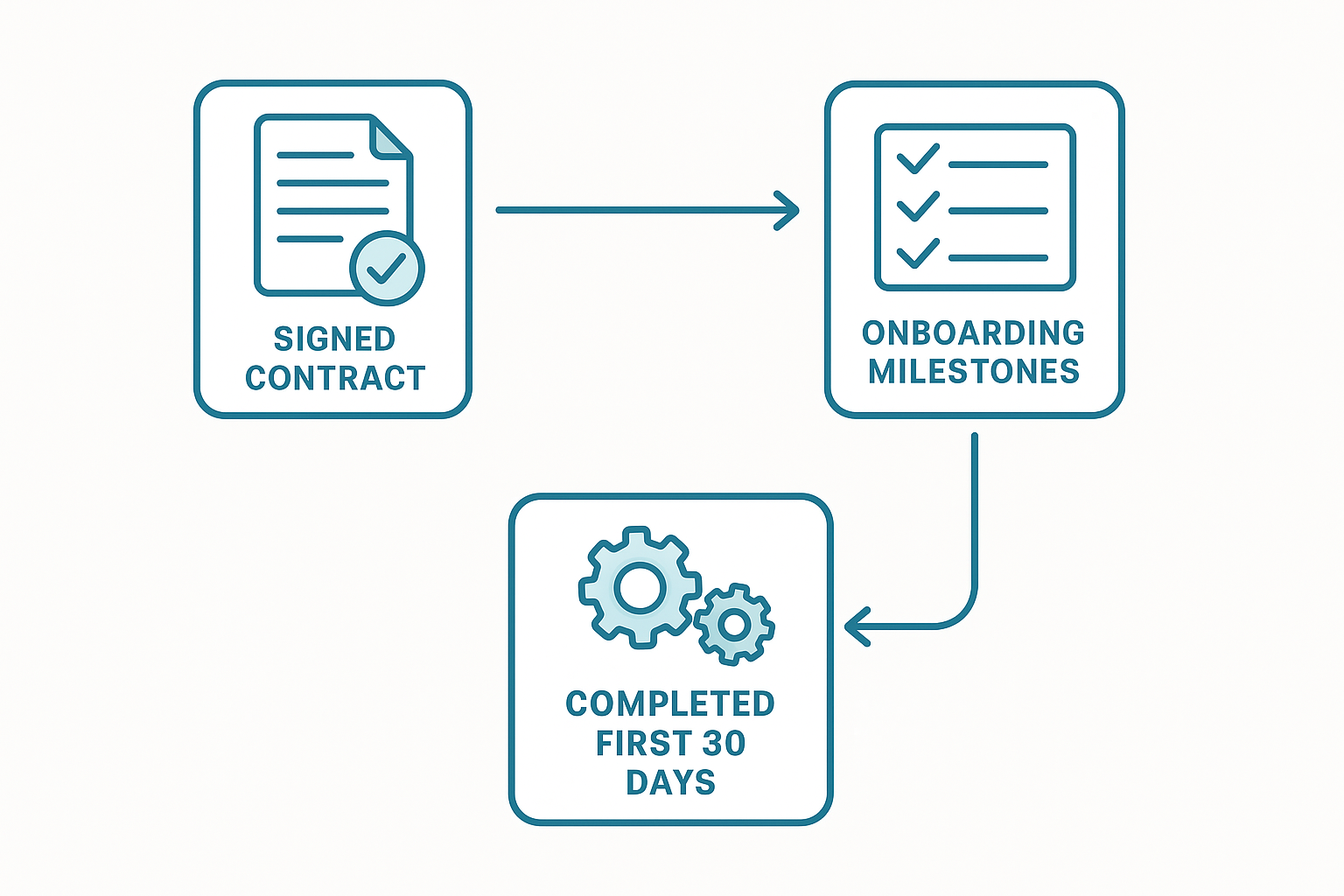
A typical workflow inside a client onboarding automation platform, from signature to the first health checkpoint.
How to Implement an Onboarding Automation Tool in 5 Steps
Rolling out an onboarding automation tool does not need to take months. Here is a practical sequence used by service businesses adopting this kind of system.
- Audit the current onboarding process. Map every step a new client goes through today, from contract signature to the first milestone, and note where handoffs break down or information gets lost.
- Connect read-only integrations. Link the platform to your CRM, billing system, meeting tools, project software, and call transcripts so it can observe activity without manual updates.
- Configure the client journey and milestones. Define what a healthy first 30 days looks like, including who owns which task, so the platform knows what to measure against.
- Set escalation and churn intervention rules. Decide who gets alerted, through which channel, and what action follows when a health score drops below a defined threshold.
- Train the team and monitor the first cycle. Walk the team through morning briefs, then review the first full onboarding cycle to refine thresholds before scaling further.
Notably, businesses that choose a done-with-you installation — where the vendor handles the audit, configuration, and training within about a week — tend to see adoption stick faster than teams that attempt a self-service rollout alone. If you would rather have this mapped out with your team directly, our consulting services walk through the audit and configuration stage hands-on.
Client Onboarding Automation vs. Manual Onboarding
Manual onboarding usually relies on spreadsheets, calendar reminders, and the memory of whoever owns the account. It works, at first, when client volume is low. However, as a roster grows, manual tracking becomes inconsistent, and small details — a missed kickoff task, a delayed invoice follow-up — start slipping through unnoticed.
In contrast, client onboarding automation applies the same standard to every account regardless of who manages it. The platform does not forget to check in, and it does not get distracted by a busier week. Consequently, teams spend less time on status updates and more time on the conversations that actually move a relationship forward.
That said, automation does not remove the human element entirely. Rather, it tells the team where to focus their human attention — a meaningful difference from either fully manual tracking or fully hands-off software that offers data with no guidance attached.
What Happens After Day 30? Renewals, Expansion, and Ongoing Retention
Here is where many onboarding-focused tools run out of road. A platform built purely around project timelines typically stops mattering once the final milestone is checked off, which leaves everything that happens between month two and the renewal date completely unmonitored.
A true client onboarding automation platform, however, keeps watching. It continues tracking engagement trends, meeting frequency, and sentiment long after the kickoff phase ends, which means it can flag a client who is quietly disengaging in month four — not just one who missed a task in week one. For a deeper look at how this continuous approach compares to traditional onboarding-only software, see our guide to AI client experience platforms for agencies.
As a result, the same data that protects against early churn also becomes a growth signal. Platforms that track relationship health over time can surface clients who are ready for a renewal conversation or an expanded scope — turning onboarding data into revenue opportunity, not just risk mitigation.
Common Onboarding Automation Mistakes to Avoid
Even a strong platform fails if it is implemented poorly. The most frequent mistakes include the following.
- Automating a broken process. If the underlying onboarding steps are unclear, automation just speeds up the confusion. Fix the process first, then automate it.
- Skipping team training. A platform that nobody understands how to use gets ignored within weeks. Training and a clear operating cadence matter as much as the software itself.
- No escalation protocol. A health score drop means nothing if no one knows what action to take next. Define churn intervention plays before you need them, not after a client has already gone quiet.
- Treating the CRM as redundant. A good onboarding automation platform integrates with your CRM; it should never require ripping that system out and starting over.
- Stopping the clock at day 30. Teams that disable tracking once the kickoff milestones are complete lose visibility right when subtle churn signals tend to appear.
How ClientBloom Powers Client Onboarding Automation
ClientBloom was built specifically as a client retention operating system for agencies, consultancies, and coaching businesses that depend on recurring revenue. Rather than replacing your CRM, it connects to it alongside your billing, meeting, and project tools to build a continuous 0–10 Client Retention Score for every account — well beyond the kickoff phase.
During a one-week installation, the ClientBloom team audits your current onboarding flow, configures journey mapping and milestone tracking for the first 30 days, and trains your client success managers on the resulting morning briefs. For example, coaching and expert businesses can see how this applies on the coaching business solutions page, while founders weighing whether to hire another CSM or automate instead can compare options on the replace-a-CSM-hire page.
Beyond onboarding, the same platform surfaces renewal and expansion opportunities, runs pulse checks and QBRs, and answers natural-language questions about portfolio health. Founders exploring how this fits a growing agency can review the founder-focused solutions overview or start with the ClientBloom homepage for a full picture of the system.

Client success teams typically start the day with a brief generated by their onboarding automation software.
Frequently Asked Questions About Client Onboarding Automation Platforms
What is a client onboarding automation platform?
A client onboarding automation platform is a system that automates, tracks, and scores the first-30-days process for new clients so nothing slips between departments. It replaces manual spreadsheets and scattered emails with a connected workflow.
How does client onboarding automation reduce early churn?
It catches missed milestones and silent clients within days instead of weeks by watching activity across your CRM, billing, and meeting tools. As a result, teams can intervene before a quiet client becomes a cancelled one.
Is onboarding automation only useful for large agencies?
No, it is most valuable for established service businesses with five or more active clients where retention drives recurring revenue. Solo operators or pre-revenue businesses typically do not have enough volume to benefit yet.
Does a client onboarding automation platform replace my CRM?
No, a well-built platform integrates with your existing CRM rather than replacing it. It reads data from your CRM, billing, and meeting tools to build a complete picture of client health.
How long does it take to set up onboarding automation software?
Many modern platforms can be configured in about one week when the vendor handles the audit, integrations, and team training. A do-it-yourself setup without guidance often takes significantly longer.
What integrations should an onboarding automation tool support?
Look for read-only connectors to your CRM, billing system, meeting software, project management tool, call transcripts, and automation tools like Zapier. These integrations let the platform build a health score without manual data entry.
What is the difference between a client onboarding automation platform and a project management tool?
A project management tool tracks tasks and deadlines, while a client onboarding automation platform tracks the full relationship — including engagement, sentiment, and health — before, during, and long after the project timeline ends.
What is the difference between client onboarding automation and manual onboarding?
Manual onboarding relies on checklists and individual account managers to track progress. Automated onboarding continuously monitors milestones and flags risk in real time, which scales more reliably across a growing client base.
How much does client onboarding automation typically cost?
Pricing varies by vendor and depends on client volume, integration depth, and whether installation support is included. Businesses should weigh the cost against the revenue saved from preventing avoidable churn.
What are common mistakes when automating client onboarding?
Common mistakes include automating a broken process instead of fixing it first, skipping team training, and failing to define clear escalation protocols. Skipping these steps undermines the platform's value.
Can onboarding automation surface renewal and expansion opportunities?
Yes, platforms that track engagement trends and relationship health over time can flag clients ready for renewal conversations or expanded scope. This turns onboarding data into a revenue signal, not just a risk alert.
Who benefits most from a client onboarding automation platform?
Marketing agencies, consultancies, coaching businesses, fractional executives, and other retainer-based service firms benefit most. These businesses depend on recurring revenue, so early churn directly hurts their bottom line.
What role do morning briefs play in onboarding automation?
Morning briefs summarize which clients need attention, why, and what action to take, delivered to Slack, email, text, or Telegram. They turn raw health scores into a daily action list for client success teams.
How does a client onboarding automation platform measure relationship health?
Most platforms calculate a continuous health score, often on a 0–10 scale, using signals like engagement, meeting cadence, billing status, and call sentiment. The score updates daily rather than relying on quarterly check-ins alone.
Does a client onboarding automation platform include a client-facing portal?
Many platforms do offer a branded, client-facing timeline so customers can see upcoming tasks and deadlines. However, the strongest platforms pair that visibility with internal health scoring that the client never sees but your team relies on daily.
Final Thoughts: Choosing the Right Client Onboarding Automation Platform
In summary, a client onboarding automation platform gives service businesses a repeatable way to protect the revenue they have already won, rather than hoping every new client has a smooth first month by chance. From read-only integrations and milestone tracking to escalation playbooks, daily briefs, and health scoring that continues long after the kickoff phase, the right platform turns a fragile, memory-dependent process into something the whole team can rely on. Whether you compare options independently or start with a guided installation like the one ClientBloom offers, the underlying principle stays the same: a client onboarding automation platform works best when it strengthens your existing tools and team, rather than trying to replace them.