Client management software helps service businesses track every client relationship in one place, from first contact through renewal. For agencies, consultancies, and coaching practices that depend on recurring revenue, losing track of a single at-risk account can cost thousands of dollars in lost retainers. Therefore, choosing the right platform matters as much as choosing the right CRM. This guide breaks down what client management software actually does, which features matter most, and how a purpose-built retention layer like ClientBloom fits alongside the tools your team already uses.
Quick answer: Client management software is a system that combines client data, communication history, and relationship health into one view, so teams can spot at-risk accounts and act before a client leaves. It typically connects to a CRM rather than replacing it.

Account managers using client management software to review portfolio health together.
What Is Client Management Software?
Client management software is a category of business tools that centralizes client data, communication history, project status, and relationship health so teams can see at a glance who needs attention. In short, it answers one question: which clients need help right now, and why?
Unlike a plain contact database, client management software layers context on top of raw data. For example, it might pull billing status from a CRM, meeting notes from a calendar app, and support tickets from a help desk, then combine them into a single health signal. As a result, account managers spend less time hunting through separate tabs and more time actually talking to clients.
Why Client Retention Depends on the Right Client Management System
Retention is the quiet driver of profit for most service businesses. According to research cited by Harvard Business Review, increasing customer retention rates by just 5% can increase profits by 25% to 95%, depending on the industry. Consequently, even a small improvement in how quickly a team spots a struggling account pays for itself many times over.
A well-chosen client management system does three things a spreadsheet cannot. First, it flags risk automatically instead of waiting for a client to complain. Second, it standardizes onboarding so every new client gets a strong first 30 days. Third, it gives leadership a portfolio-level view of churn risk instead of relying on anecdotes. The U.S. Small Business Administration similarly notes that retaining existing customers is typically far less costly than acquiring new ones, which is why repeatable retention processes matter.
Key Features to Look for in Client Management Software
Not every platform that calls itself client management software does the same job. Specifically, the features below separate a genuine retention tool from a basic contact list.
| Feature | What It Does | Why It Matters |
|---|---|---|
| Health scoring | Rates relationship strength, often 0–10 | Prioritizes which accounts need attention first |
| Read-only integrations | Connects CRM, billing, meetings, transcripts | Avoids manual data entry and duplicate systems |
| Automated briefs | Sends daily alerts to Slack, email, or text | Keeps at-risk accounts visible without extra logins |
| Onboarding tracking | Monitors milestones in the first 30 days | Catches early churn risk before it compounds |
| Renewal surfacing | Flags expansion and renewal opportunities | Turns retention data into revenue conversations |
Client Management Tools vs. Traditional CRM Software
Many teams assume a CRM already covers this ground. However, a CRM is primarily a system of record for contacts, deals, and pipeline stages, as the Wikipedia overview of customer relationship management explains. It is excellent at tracking who signed what and when.
Client management tools, by contrast, focus on the ongoing health of an existing relationship after the deal closes. For instance, a CRM might show that a client signed a 12-month contract, but it will not automatically flag that the client stopped attending meetings three weeks ago. This is why platforms are often built to sit on top of a CRM, rather than replace it, pulling in data through read-only connectors. You can see how this integration layer works on the ClientBloom software overview.
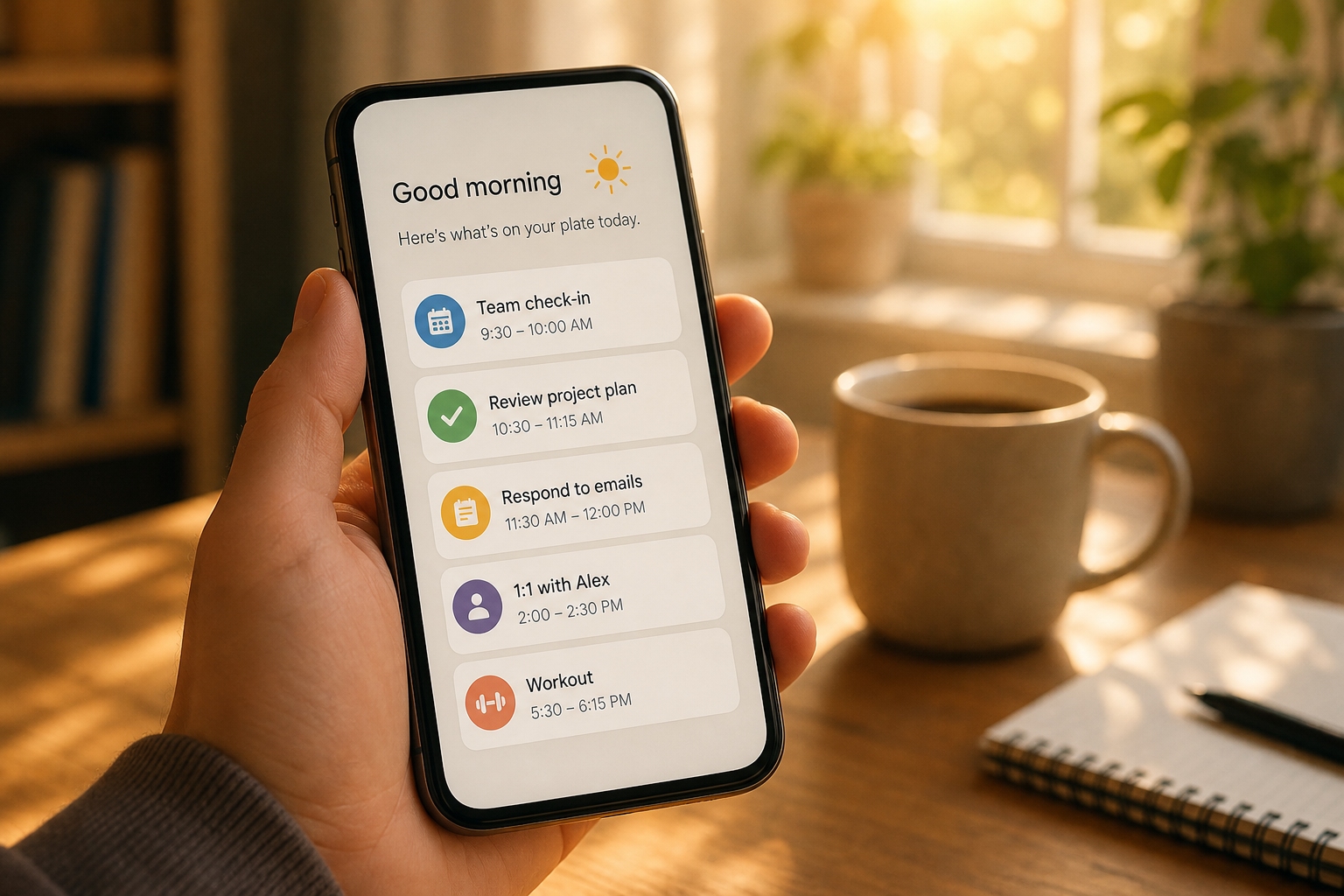
A morning brief from client management software showing which accounts need attention first.
How to Choose Client Relationship Management Software in 5 Steps
Selecting client relationship management software is easier when the search follows a clear process instead of a feature checklist. Use the five steps below as a starting framework.
- Map your current client journey. Write down every stage from onboarding to renewal so you know exactly where visibility currently breaks down and where a tool needs to add the most value.
- List the tools you already use. Identify your CRM, billing platform, meeting software, and project management tool, because the new system needs to connect to these rather than force a switch.
- Define what "at risk" means for your business. Decide which signals, such as missed meetings or late invoices, should trigger an alert so the software matches your actual warning signs.
- Test the onboarding and setup process. Ask vendors how long implementation takes and whether a real person helps configure integrations, since a tool nobody sets up correctly delivers no value.
- Pilot with a subset of accounts first. Roll the system out to a handful of client relationships before a full rollout, so your team can confirm the alerts and scores actually match reality.
How ClientBloom Strengthens Your Client Management Stack
ClientBloom was built specifically for agencies, consultancies, and professional service firms where recurring revenue depends on relationship health. Rather than replacing the CRM already in place, it connects through read-only integrations to CRM, billing, meeting, and call-transcript tools, then produces a daily Client Retention Score for every account.
Each morning, the Business Intelligence Agent delivers a brief to Slack, email, text, or Telegram that tells the team who to call, why, and what to do next. In addition, the one-week installation process includes an audit, platform configuration, and team training, which matters because tools that take months to deploy often lose momentum before anyone uses them. For a deeper comparison of retention-focused platforms, the client retention software buyer's guide and the renewal and retention management software guide cover additional vendor criteria.
Common Mistakes When Rolling Out New Client Software
Even strong client management software fails when the rollout skips a few basics. Below are the mistakes that show up most often.
First, teams sometimes turn on every integration at once instead of starting with the two or three data sources that matter most, which overwhelms account managers with alerts. Similarly, some teams skip training, assuming a dashboard is self-explanatory, when in fact most retention playbooks require a short ramp period before CSMs trust the scores. Finally, leaders occasionally treat the software as a replacement for judgment rather than a signal; the data should guide a conversation, not replace it. For a broader set of implementation checklists, the ClientBloom guides library covers onboarding design and churn intervention playbooks in more depth.

Reviewing renewal opportunities surfaced by client management software during a quarterly check-in.
Frequently Asked Questions About Client Management Software
What is client management software?
Client management software is a tool that centralizes client data, communication history, and relationship health so teams can quickly see who needs attention. It typically pulls information from a CRM, billing platform, and meeting tools into one daily view.
How is client management software different from a CRM?
A CRM tracks contacts, deals, and pipeline stages, while client management software focuses on the ongoing health of relationships after the sale. Most retention platforms connect to your CRM rather than replace it.
How much does client management software cost?
Pricing varies widely based on the number of client accounts, integrations required, and whether setup is self-serve or guided. Platforms with done-with-you installation and training generally cost more than basic contact tools but save time on configuration.
How long does it take to implement client management software?
Implementation timelines range from a few hours for basic tools to several weeks for platforms with multiple integrations. Some retention-focused platforms offer a one-week installation that includes an audit, configuration, and team training.
What size business benefits most from client management software?
Businesses managing five or more active client accounts tend to see the clearest return, since relationship data becomes harder to track manually past that point. Agencies, consultancies, and professional service firms with recurring revenue are the most common fit.
What features should I look for in client management software?
Look for health scoring, read-only integrations with your existing tools, automated alerts, onboarding tracking, and renewal or expansion surfacing. Reporting dashboards that show portfolio-wide churn risk are also valuable for leadership visibility.
Can client management software replace my CRM?
Generally no. Most client management software is designed to integrate with an existing CRM through connectors, adding a daily relationship-health layer rather than replacing the system of record for contacts and deals.
What is a client health score?
A client health score is a continuous rating, often on a 0 to 10 scale, that reflects how strong a relationship is based on signals like meeting attendance, billing status, and engagement. It helps teams prioritize outreach.
How does client management software reduce churn?
It reduces churn by surfacing warning signs earlier than a human might notice them manually, such as declining engagement or missed meetings. Teams can then intervene before a client decides to leave rather than after.
What mistakes do teams make when adopting client management software?
Common mistakes include turning on every integration at once, skipping team training, and treating automated scores as a replacement for judgment instead of a signal that guides a conversation.
Does client management software send alerts to Slack or email?
Many modern platforms deliver daily briefs through Slack, email, text, or Telegram so account managers see priority accounts without opening a separate dashboard each morning.
How do I choose the right client management software for my agency?
Start by mapping your client journey, listing the tools you already use, and defining what counts as an at-risk signal for your business. Then pilot the software with a small group of accounts before a full rollout.
Final Thoughts
Choosing client management software is less about finding the flashiest dashboard and more about finding a system that fits how your team already works. In the end, the right platform connects to your existing CRM, surfaces risk before a client complains, and gives account managers a clear next action every morning. Whether you are evaluating your first retention tool or replacing one that never got adopted, start with the journey mapping step above, pilot with a small group of accounts, and expand from there. Resources like ClientBloom and its guides library can help you compare options before committing to a full rollout.