A client health dashboard is a single screen that shows how strong every client relationship is, so your team can act before a renewal is at risk. For agencies and service firms, it turns scattered signals into a clear daily priority list. This guide explains what to track, how to build one, and how to keep it useful.
Quick answer: Pick five to eight signals, connect them to your tools, roll them into one score per client, and attach an action to every low score. Then review the dashboard on a fixed cadence.

A team reviews a client health dashboard to decide which accounts need attention first.
What Is a Client Health Dashboard?
A client health dashboard is a combined view of relationship signals, such as engagement, results, payments, and sentiment, shown per client. It usually rolls those signals into a score and a status. As a result, anyone on the team can see who is thriving and who is drifting.
It differs from a standard report. A report tells you what happened. A dashboard tells you where to look today.
Why Service Businesses Need One
In a retainer business, revenue depends on clients staying. However, warning signs rarely arrive as a cancellation email. They show up as slower replies, skipped meetings, or late invoices.
Without a dashboard, these signals live in different tools and in different people's heads. Consequently, problems surface only at renewal, when it is often too late. Bringing the signals together makes early action possible. Our guide on customer health scores for agencies covers the scoring side in depth.
Which Metrics Belong on a Client Health Dashboard?
Start small. Five to eight signals are enough, and each should connect to renewal behavior in your business.
| Signal | What it shows | Typical source |
|---|---|---|
| Engagement | Meeting attendance, reply speed | Calendar, email |
| Results | Progress against agreed goals | Project tools, reports |
| Payment behavior | Late or disputed invoices | Billing system |
| Sentiment | Tone in calls and surveys | Call transcripts, pulse checks |
| Renewal timing | Days until contract end | CRM |
Leading versus lagging signals
Lagging signals, like a cancellation, confirm trouble after the fact. Leading signals, like fewer meetings, warn you sooner. Therefore, weight leading signals more heavily.
How to Build a Client Health Dashboard Step by Step
The process below works whether you use a spreadsheet or a connected platform.
- Define healthy. Describe what a client who renews and expands looks like.
- Pick five to eight signals. Choose measurable ones that predict renewal or churn.
- Connect your data. Link CRM, billing, calendar, and project tools with read-only access.
- Weight and score. Combine signals into one simple score, such as 0 to 10.
- Set thresholds and actions. Define healthy, watch, and at-risk ranges, each with an owner and a next step.
- Review on a cadence. Meet weekly, act on flagged clients, and tune weights over time.
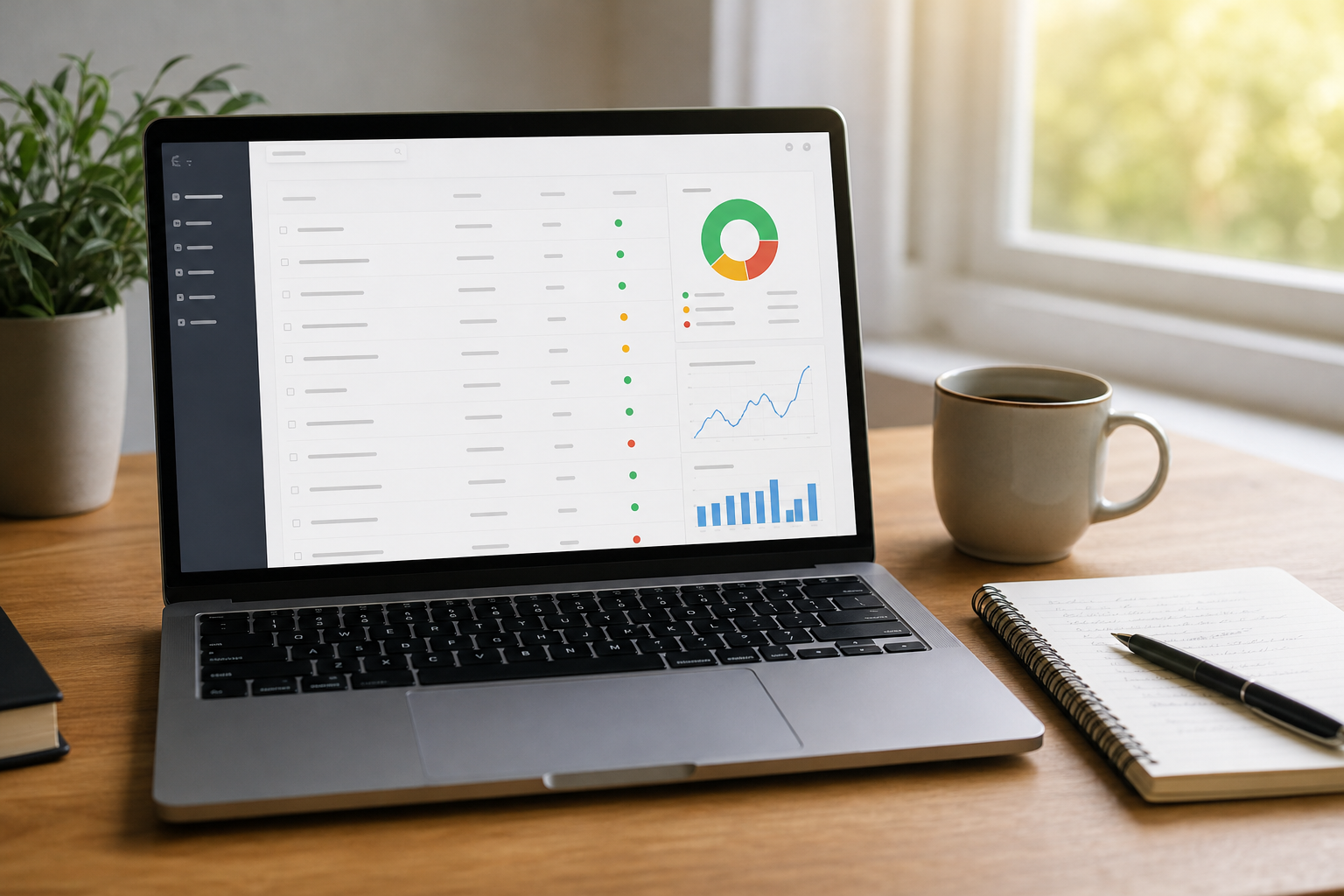
Color-coded statuses make it easy to see which accounts need a call today.
Connecting Your Tools Into One View
The hardest part is usually the data, not the design. Manual entry goes stale within weeks. Instead, connect your existing tools so the view refreshes on its own. Our guide to connecting client services tools into a single source of truth walks through this, and the full guides library covers related topics.
From Account Monitoring to Action
A score alone changes nothing. Each status needs a response. For example, a watch status might trigger a check-in call within three days, while at-risk triggers an escalation to a senior lead.
Alerts help here. Delivering a short daily brief to Slack, email, or text keeps the priorities in front of the team without anyone opening a report.
Common mistakes to avoid
- Tracking too many metrics, which hides the real signal.
- Relying only on lagging data such as cancellations.
- Skipping owners and actions for low scores.
- Never checking scores against actual renewal outcomes.
Spreadsheet or Purpose-Built Platform?
A spreadsheet is a fine start for a small portfolio. However, it depends on someone updating it. A purpose-built platform pulls data automatically and scores daily.
ClientBloom is a client retention operating system for established service businesses. It connects to your CRM, billing, meeting, and project tools, scores each relationship from 0 to 10, and sends a morning brief on who to call and why. It works alongside your CRM rather than replacing it. You can see the product tour or read how it works. For background on the discipline behind this, see the overview of customer success on Wikipedia.
Frequently Asked Questions
What is a client health dashboard?
A client health dashboard is a single view that shows how strong each client relationship is, using signals such as engagement, results, payments, and sentiment. It helps teams spot risk before a client leaves.
Who needs a client health dashboard?
Service businesses that rely on recurring revenue benefit most, including agencies, consultancies, coaching businesses, and fractional executives. The more clients you manage, the harder it is to track health by memory.
What metrics should a client health dashboard include?
Include engagement, communication frequency, results against goals, payment behavior, sentiment, and renewal timing. Start with five to eight signals and add more only if they improve your predictions.
How is a client health dashboard different from a CRM report?
A CRM report mostly shows sales pipeline and contact records. A client health dashboard combines data from several tools to show relationship risk and what to do next.
How often should a client health dashboard update?
Daily updates are ideal because risk can change quickly. At minimum, the dashboard should refresh before your weekly account review.
What is a client health score?
A client health score is a number, often on a 0 to 10 or 0 to 100 scale, that summarizes the strength of a relationship. The dashboard displays that score for every client and tracks it over time.
Can I build a client health dashboard in a spreadsheet?
Yes, a spreadsheet works for a small portfolio. However, manual updates are slow and often go stale, so many teams move to connected tools as they grow.
How long does it take to set up?
A basic spreadsheet version can take a few hours. A connected platform takes longer, depending on integrations and how clearly you have defined healthy accounts.
What are common mistakes when building a client health dashboard?
Common mistakes include tracking too many metrics, relying on lagging data, and failing to assign actions to low scores. A dashboard nobody acts on does not reduce churn.
How do I know if my health scores are accurate?
Compare past scores with actual renewals and cancellations. If clients who left scored high, adjust your signals and weights.
What should happen when a client turns red?
Assign an owner, contact the client within a set window, and follow a defined intervention play. Record the outcome so your process improves.
Does ClientBloom replace my CRM?
No. ClientBloom connects to your existing CRM and other tools through read-only connectors and adds scoring, morning briefs, and analytics on top.
Conclusion
A client health dashboard works when it is simple, connected, and tied to action. Define what healthy means, track a handful of leading signals, score every client, and assign a clear next step to every warning. Review it on a steady cadence and check it against real renewals. Done well, a client health dashboard helps you keep the revenue you have already won.